Zoho tailored to the way your company works.
We connect sales, marketing and customer service in the Zoho ecosystem. We select applications, organise data and configure processes so the team knows what is happening with each case and what comes next.
A suite of applications for everyday business.
Zoho is an ecosystem of business applications. It includes tools for sales management, support tickets, marketing, data analysis and building custom applications. You can use selected products and connect them to meet your team's needs.
Signs it is time to organise your tools
The company is growing, but its way of working is harder to maintain
Sales information is spread across several places
Contacts are in spreadsheets, agreements in email and upcoming tasks in individual calendars. It is hard to see the stage of each customer conversation.
Teams pass on incomplete information
Marketing knows the contact source, sales knows the agreements, and customer support has to ask everything from the beginning.
Repetitive actions take up time
The team manually assigns cases, copies data and sends deadline reminders. As customer numbers grow, administrative work grows too.
Reports only emerge after spreadsheets are collected
Every department has its own numbers. Until they are combined, it is hard to identify what needs a decision and where the process stalls.
Let's match applications to the problems you want to solve.
You do not need to know the entire Zoho catalogue. Start with the area that needs improvement and we will help define the right set of tools.
Zoho CRM — sales
Contacts, sales opportunities, tasks and reports. It helps organise salespeople's work and guide customer conversations through successive stages.
Explore Zoho CRMCustomer service — Zoho Desk
Tickets, priorities and service rules. It helps the team track customer issues and maintain clear responsibility for resolving them.
Explore Zoho DeskWebsite conversations — Zoho SalesIQ
Chat, bots and visitor activity information. It helps start conversations and pass their context on for further handling.
Explore Zoho SalesIQCommunication — Zoho Marketing Automation
Audience segments and automated communication journeys. It helps tailor marketing to the stage of a relationship with a potential customer.
Explore Zoho Marketing AutomationReporting — Zoho Analytics
Reports and dashboards combining data from multiple sources. It helps analyse sales, marketing and support using shared metrics.
Explore Zoho AnalyticsYour own application with Zoho Creator
A platform for building applications that support specific business processes. It enables forms, workflows and data views tailored to users.
Explore Zoho CreatorEvaluate Zoho One through the needs of your whole company
Zoho One is a suite of business applications with central management. It can be a starting point when you want to connect several areas of work. For a smaller scope, we also consider selected products. We compare the required features, user numbers and current licence terms to help choose a model that matches actual use. Purchasing the suite is the starting point for configuring processes, integrations and permissions.
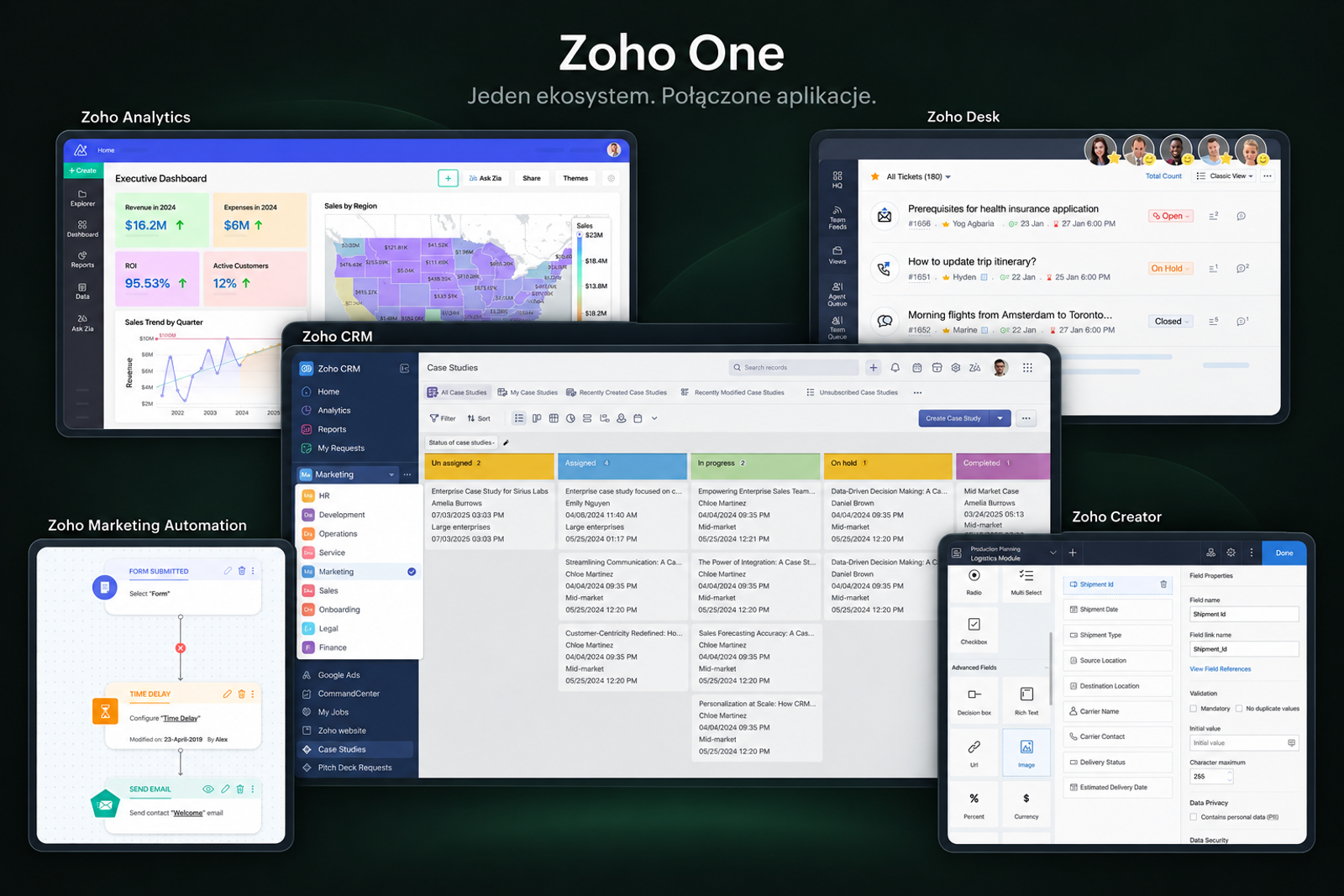
You can start with one area and develop others later.
Zoho is worth considering when your company needs several connected tools and wants to adapt them to its own processes.
Choosing the starting point
The first stage may cover sales, customer service or another specific process. We choose further applications when a clear need arises.
More context between teams
Available integrations help transfer information between applications. We define which data should be visible in each place and who should use it.
Tailored to your way of working
We configure fields, views and rules around process stages. Where custom logic is needed, we explore extensions or applications in Zoho Creator.
Automating the next steps
Selected events can trigger tasks, notifications and workflows. We define their conditions so automation supports the team even in less typical situations.
First, we agree on how you work. Then, we configure the system.
From selecting applications to working with real data.
We agree on the scope before starting. It can include a new implementation or improvements to an existing Zoho environment.
- 01
Process analysis
We describe the stages, roles, required information and exceptions the system needs to handle.
- 02
Application selection
We check features, dependencies and licence models for the planned scope.
- 03
Configuration
We prepare fields, views, stages, roles and user permissions.
- 04
Data migration
We establish sources, mapping and data verification before transferring data to the target environment.
- 05
Integrations
We connect Zoho applications and the company's existing tools where the available data exchange mechanisms allow it.
- 06
Automation
We configure assignments, tasks and notifications according to agreed rules.
- 07
Reporting
We build the views needed to assess the process and support the team's day-to-day decisions.
- 08
Training and development
We prepare users for their work and agree on post-launch support.
Frequently asked questions
Is Zoho just a CRM?
Zoho CRM is one product. The ecosystem also includes applications for customer service, marketing, analytics and other business areas. The choice depends on the processes you want to organise.
Do we need to implement every application at once?
No. We can start with one process and choose one application or a small set of tools for it. We plan further stages with shared data and the intended way of working in mind.
Do we need Zoho One?
It depends on the scope and user numbers. We compare current suite terms with selected products and check the features you need. Zoho One is not a required starting point for every implementation.
We already use Zoho. Can you organise it?
Yes. We start by checking the current configuration, data quality and how the system is used. We then decide which elements to keep, improve or expand.
Can Zoho connect to our website and other systems?
We check available integrations, APIs and other data exchange mechanisms. We agree on the scope, direction and synchronisation frequency. Some connections require additional configuration or a custom solution.
Will you transfer data from our current CRM or spreadsheets?
Migration can be part of implementation. We first check the data format, quality and scope, then agree on mapping and tests. The ability to transfer history, attachments and relationships depends on the source and target systems.
How much does Zoho implementation cost?
Cost depends on the number of processes, applications and integrations, the migration scope and user needs. We separate implementation work, licences and any support in the quote so the total is clear.
How long does implementation take?
Timing depends on scope, data readiness and the availability of your team. We agree on a schedule after the analysis, covering stages, testing and user preparation.
Do you provide training and post-launch support?
Training and support can be included in our work together. Before starting, we establish what users need, who administers the system and how post-launch changes will be handled.
Let's see where Zoho can help your business
Tell us about your current tools and the work you want to improve. We will choose a starting point and define what the first implementation stage should include.